
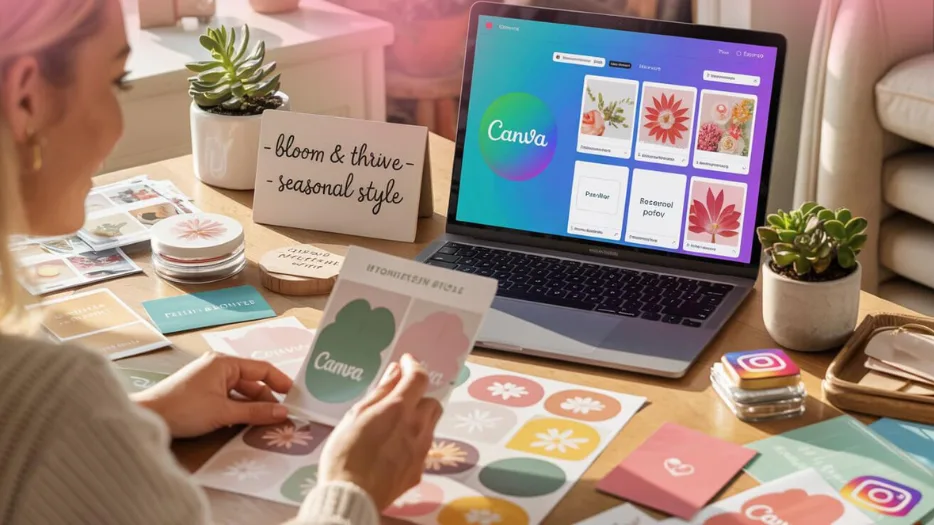
Running a small business means managing several responsibilities at once. You need to promote your products, connect with customers, create marketing content, and maintain a professional brand. Designing every graphic from scratch can take valuable time away from these tasks.
That is where Canva templates for small businesses can help.
Ready-made templates give you a starting point for creating social media posts, marketing materials, business documents, presentations, and other designs. You can customise colours, fonts, images, and text to match your brand without needing advanced graphic design skills.
Whether you are a freelancer, entrepreneur, online seller, content creator, or student starting a small business, choosing the right templates can make your daily work easier.
In this guide, we will explore 15 useful Canva template types every small business owner should consider, how to choose the right ones, and how to use them effectively.
What Are Canva Templates for Small Business?
Canva templates are pre-designed layouts that you can customise for your own needs using Canva’s design tools. Depending on the template and your Canva plan, you may be able to edit text, change colours, replace images, adjust layouts, and add your own branding.
For small businesses, these templates can provide a practical starting point for marketing, communication, and everyday business activities.
Instead of designing each asset from a blank page, you can adapt an existing layout to suit your business.
For example, a bakery could use templates for product announcements, promotional offers, menus, and customer reviews. A digital product seller could use templates for Instagram graphics, product previews, promotional pins, and downloadable resources.
The best templates are not necessarily the most complicated. They are the ones that suit your audience, communicate your message clearly, and fit your business goals.
15 Canva Templates Every Small Business Owner Should Have
You do not need to purchase every template available. Start with the designs that solve your most immediate business problems, then add more as your needs grow.
1. Instagram Post Templates
Instagram post templates are useful for businesses that want to share product updates, educational tips, announcements, and promotional content.
A reusable collection can help you maintain a consistent visual style across your profile.
What to look for:
- Clear, readable headlines.
- Space for product images or photographs.
- Customisable brand colours and fonts.
- Layouts for tips, announcements, and promotions.
- Designs that work well on mobile screens.
Example: A handmade jewellery business could use one template to introduce a new collection, another to share styling advice, and a third to announce a limited-time offer.
Best for: Small businesses, online sellers, freelancers, creators, and service providers who use Instagram to reach customers.
2. Instagram Story Templates
Stories help you share timely updates, ask questions, promote products, and communicate with existing followers.
Story templates give you a consistent format for these messages without requiring a new design every time.
Look for templates that include space for short text, product photographs, announcements, polls, or questions.
Example: A home-based bakery could use a Story template to share the day’s menu, announce available products, or remind customers about an upcoming order deadline.
Best for: Businesses that regularly share updates or promote products through Instagram Stories.
3. Instagram Carousel Templates
Carousel templates help you present information across multiple slides. They are especially useful when a topic requires more explanation than a single image can provide.
You can use them for:
- Step-by-step tutorials.
- Product comparisons.
- Common customer questions.
- Beginner guides.
- Lists of tips or mistakes to avoid.
Example: A digital marketing consultant could create a carousel titled “5 Ways to Improve Your Business Instagram Profile,” with one practical tip on each slide.
Choose layouts with consistent typography, clear spacing, and an easy-to-follow sequence. The first slide should clearly state the topic, and the final slide can suggest a relevant next step.
Best for: Educators, consultants, service businesses, and creators who share informative content.
4. Facebook Post Templates
If your customers use Facebook, reusable post designs can help you maintain a consistent appearance across your business page.
These templates can support product announcements, event promotions, customer testimonials, business updates, and educational posts.
Choose designs that allow you to change the message and image easily. Avoid using the same promotional graphic repeatedly without adapting it to the message.
Example: A local clothing boutique could use Facebook post templates to showcase new arrivals, announce seasonal offers, and share styling suggestions.
Best for: Local businesses, retailers, service providers, and businesses that maintain an active Facebook presence.
5. Pinterest Pin Templates
Pinterest can help users discover ideas, products, tutorials, and resources. Well-designed pins can give your content another opportunity to be discovered through Pinterest search and recommendations.
Pin templates are useful for creating graphics for blog articles, digital products, checklists, and how-to guides.
Look for vertical layouts with a clear headline, a relevant image, and enough space to communicate the topic.
Example: A business selling printable planners could create pins featuring planning tips, product previews, or guides to organising a weekly schedule.
Make each pin relevant to the destination it links to. A clear, accurate headline helps people understand what they will find when they click.
Best for: Bloggers, digital product sellers, online stores, and creators who want to promote useful content or products on Pinterest.
6. Business Flyer Templates
Flyers remain useful for promoting local services, events, workshops, offers, and business openings.
A well-designed flyer should explain the offer quickly and make it easy for readers to find the next step.
Look for layouts with:
- A clear headline.
- A concise description of the offer.
- Relevant images.
- Contact or booking information.
- A clear call to action.
Example: A fitness instructor could use a flyer to promote a beginner workshop, including the date, location, price, and registration details.
If you intend to print your flyer, check the page dimensions, image quality, margins, and export settings before sending it to a printer.
Best for: Local businesses, event organisers, trainers, tutors, and service providers.
7. Business Card Templates
Business cards can help you share your contact information during meetings, events, networking sessions, and customer interactions.
A professional business card should be simple and easy to read.
Consider including your name, business name, role, contact details, website, or a relevant professional profile. Add only the information that helps people contact you.
Example: A freelance designer could use a business card featuring a simple logo, a consistent brand colour, an email address, and a portfolio link.
Before printing, check spelling, contact details, dimensions, and the printer’s requirements for bleed and margins.
Best for: Freelancers, consultants, local service providers, and entrepreneurs who meet customers in person.
8. Logo and Brand Identity Templates
Your visual identity helps people recognise your business across different platforms. Logo and brand identity templates can provide inspiration and a starting point for exploring colours, typography, and visual styles.
These resources may help you create:
- Logo concepts.
- Brand colour palettes.
- Typography combinations.
- Simple brand boards.
- Consistent visual elements for marketing materials.
Example: A new handmade soap business could use a brand board to define its colours, fonts, and visual direction before creating product labels and social media graphics.
A template-based logo may be suitable for an early concept, but check the asset licensing terms carefully. Some template elements may not be exclusive or suitable for trademark registration.
Best for: New businesses and entrepreneurs developing an initial visual identity.
9. Product Catalogue Templates
A product catalogue organises multiple products into a format customers can browse.
It can be useful when you sell several products, offer different service packages, or need a shareable overview of your collection.
A good catalogue template should provide room for:
- Product names.
- Clear images.
- Brief descriptions.
- Prices, where appropriate.
- Product codes or options, if needed.
- Ordering or contact information.
Example: A handmade accessories brand could use a catalogue to showcase earrings, necklaces, and bracelets with product photographs and prices.
Keep descriptions accurate and ensure that prices and availability are current before sharing the catalogue.
Best for: Retailers, makers, wholesalers, and businesses with multiple products or service packages.
10. Price List Templates
A price list helps customers understand what you offer and how much it costs.
It is particularly useful for service businesses, salons, photographers, event planners, tutors, and consultants.
Choose a template that organises your offerings into clear categories. If you provide packages, explain what each package includes.
Example: A freelance social media manager could create a price list showing different service packages, the number of deliverables included, and how customers can request a quote.
Avoid overcrowding the design. Use a readable font and make any important conditions clear.
Best for: Service-based businesses, freelancers, and businesses with multiple products or packages.
11. Presentation Templates
Presentations can help you explain an idea, introduce a service, share a proposal, or deliver training.
A presentation template provides consistent layouts for headings, text, charts, images, and summaries.
Useful slide types include:
- Introduction and overview.
- Problem and proposed solution.
- Service or product details.
- Process and timeline.
- Pricing or package comparison.
- Summary and next steps.
Example: A marketing consultant could use a presentation to explain a proposed marketing plan to a potential client.
Select a design that matches your audience and purpose. Keep slides focused on one main idea and use charts or images when they make information easier to understand.
Best for: Consultants, educators, freelancers, trainers, and entrepreneurs who present ideas to clients.
12. Ebook and Lead Magnet Templates
An ebook or lead magnet can help you package useful information into a downloadable resource.
For example, you could create a beginner’s guide, checklist, workbook, industry tips guide, or short educational ebook.
A suitable template can provide consistent layouts for the cover, introduction, chapter headings, exercises, and final call to action.
Example: A business coach could create a downloadable checklist explaining how new entrepreneurs can prepare for a first client meeting.
Focus on useful content before decorative elements. Use readable typography, clear headings, and enough spacing to make longer documents comfortable to read.
Before distributing or selling the finished resource, confirm the licensing rights for the template and any included fonts, images, or other assets.
Best for: Coaches, educators, bloggers, creators, and digital product sellers.
13. Planner and Checklist Templates
Running a business involves tracking tasks, deadlines, projects, and goals. Planner and checklist templates can help you organise this work.
Common options include:
- Weekly planners.
- Monthly calendars.
- Business task trackers.
- Content calendars.
- Project checklists.
- Goal-setting worksheets.
Example: A small business owner could use a weekly planner to organise product creation, customer support, social media posts, and administrative tasks.
Choose a format that fits how you work. A printable planner may suit someone who prefers writing by hand, while an editable digital planner may be more convenient for online work.
Best for: Entrepreneurs, students, freelancers, creators, and anyone who needs help organising tasks.
14. Testimonial and Customer Review Templates
Customer feedback can help potential buyers understand other people’s experiences with your business.
Testimonial templates can present genuine customer comments in a clean and consistent layout.
Use readable text, appropriate attribution where permission has been granted, and a design that does not distract from the message.
Example: A web designer could create a testimonial graphic featuring a client’s approved feedback about the completed project.
Never invent reviews or present edited comments in a way that changes their meaning. Obtain permission when necessary before publishing customer names, photographs, or identifying details.
Best for: Service providers, online shops, consultants, and businesses with genuine customer feedback.
15. Promotion and Sale Announcement Templates
Promotional templates help you communicate offers, launches, seasonal campaigns, and new product releases.
They can be useful when you want a consistent format for announcing different offers throughout the year.
Look for designs with a prominent headline, space for the product or offer details, and a clear call to action.
Example: A digital product store could use a promotional graphic to introduce a new planner collection or announce a genuine discount.
Keep the information accurate. Include relevant conditions, dates, and exclusions where necessary. Avoid creating false urgency or advertising discounts that do not actually apply.
Best for: Online stores, digital product sellers, retailers, and service businesses running promotional campaigns.
How to Choose the Right Canva Templates for Your Business
With so many designs available, it is easy to spend time browsing templates that do not solve your immediate needs.
Use these steps to choose more effectively.
Step 1: Identify your biggest design challenge
Start with the task that takes the most time or creates the most difficulty.
For example:
- If you struggle to publish social media content, begin with post and carousel templates.
- If customers frequently ask about your services and prices, consider a price list template.
- If you need to explain your services to potential clients, explore presentation templates.
- If you want to organise your workload, start with planners and checklists.
Choose templates based on your needs rather than buying a large bundle simply because it contains many designs.
Step 2: Check the editing options
Before purchasing or using a template, review what can be customised.
Check whether you can change the text, images, colours, fonts, and layout. Confirm whether you need a Canva account, a particular subscription, or any additional software.
If the product includes editable Canva links, make sure the product description explains how access is provided.
Step 3: Match the design to your brand
Your templates should support a recognisable visual identity.
Choose a small group of colours and fonts that work across your marketing materials. You can use different layouts for different purposes while maintaining a consistent overall style.
Do not feel that every post must look identical. Consistency comes from using related design choices, not repeating exactly the same graphic.
Step 4: Review the template quality
Look for clear typography, balanced spacing, suitable image placement, and layouts that communicate information logically.
A visually attractive template may still be unsuitable if its text is difficult to read or it does not leave enough space for your content.
Whenever possible, preview the template before making a purchase.
Step 5: Check the licence and included files
Read the product description and licensing terms carefully.
Confirm what you will receive, how you can edit it, whether it can be used commercially, and whether there are any restrictions on redistribution or resale.
Do not assume that purchasing a template gives you the right to resell the original design or its included assets as your own.
How to Customise Canva Templates Step by Step
Once you have selected a suitable template, follow this simple process.
Step 1: Open the template. Follow the access instructions provided by the creator or seller. If it is an editable Canva template, open it in Canva as instructed.
Step 2: Replace the sample content. Add your own headline, descriptions, photographs, product details, and contact information.
Step 3: Apply your brand colours. Use your chosen colours consistently and make sure the text remains easy to read against the background.
Step 4: Review the layout. Check spacing, alignment, image cropping, and text size. Remove decorative elements that do not support the message.
Step 5: Check the details. Correct spelling, prices, links, contact information, and any offer conditions.
Step 6: Export or publish. Choose an appropriate format for your intended use. Digital posts, print materials, and downloadable documents may require different export settings.
Step 7: Save a reusable version. Keep an original copy when permitted so you can create future designs without rebuilding the layout.
These steps can help you turn a generic design into a more useful asset for your business.
Free Canva Templates vs Paid Canva Templates
Both free and paid templates can be useful. The right option depends on your budget, design requirements, and how much time you want to spend customising your content.
| Factor | Free templates | Paid templates |
|---|---|---|
| Cost | No template purchase price for eligible free options | Requires a purchase or applicable paid access |
| Design selection | Can include a useful range of layouts | May offer specialised designs or coordinated collections |
| Customisation | Depends on the template and available Canva features | Depends on the template, assets, and Canva features required |
| Best use | Beginners and businesses testing design needs | Businesses seeking a particular style or a ready-made collection |
| Important check | Confirm which elements require paid access | Review included files, licence, editing requirements, and support |
Paid does not automatically mean better, and free does not mean unsuitable.
If you are just starting, try free options and learn which layouts work for your business. Consider paid templates when you need a particular design, a coordinated collection, or a more convenient starting point.
Where to Find Canva Templates for Small Business
You can explore Canva’s available template library or look for specialised template collections from digital product sellers.
When comparing options, focus on whether the designs fit your intended use, are easy to customise, and include clear access and licensing information.
A specialised collection may be useful if you need multiple related designs for a particular activity, such as social media marketing, product promotion, or business planning.
Before purchasing, check:
- Which templates and files are included.
- Whether the designs are editable.
- Which Canva account or features are required.
- Whether the templates fit your preferred platforms.
- What commercial-use restrictions apply.
- Whether instructions or customer support are provided.
This helps you choose a product based on practical value rather than the number of designs alone.
Explore Canva Templates at Digizenver
Creating every business graphic from scratch can take time, especially when you are also managing products, customers, and daily operations.
If you want a simpler starting point, explore the Canva Templates category at Digizenver for digital design resources that may help with your marketing and creative work.
Look for templates that match your current goals, whether you need social media graphics, promotional designs, or other business content.
Before purchasing, review each product’s description, included files, editing requirements, and usage terms to ensure it meets your needs.
Ready to simplify your design process? Explore Digizenver’s Canva Templates category and choose a design resource that fits your business. Customise it with your own content and branding, then use it to create marketing materials that communicate your message clearly.
You do not need every template on this list. Start with two or three that solve your biggest challenges and expand your collection when your business requires it.
Final Thoughts
The right Canva templates for small business can help you create consistent marketing materials, organise information, and spend less time starting designs from scratch.
From Instagram posts and Pinterest pins to flyers, price lists, presentations, ebooks, and planners, each template serves a different purpose. The most useful choices are the ones that fit your audience, your business goals, and your available budget.
Start by identifying the tasks you need help with. Compare the available designs, check their editing options and licences, and customise each template to reflect your brand.
If you need a convenient starting point, explore relevant template collections at Digizenver and choose resources that support your current business priorities.
Professional design does not have to be complicated. With a clear message and the right starting point, you can create business materials that look consistent, communicate effectively, and support your marketing efforts.
Frequently Asked Questions
The best templates depend on your business needs. Common choices include Instagram posts, Stories, carousels, Facebook posts, Pinterest pins, flyers, business cards, product catalogues, price lists, presentations, ebooks, planners, testimonials, and promotional graphics.
Start with the formats you use most frequently instead of purchasing every available design.
They can be worthwhile if they save you time, suit your brand, and provide layouts you will actually use. Compare the price, quality, editing options, included files, and licence terms before purchasing. Free templates may be sufficient for businesses with simple design needs.
Many Canva templates allow you to customise elements such as text, colours, images, and layouts. The exact options depend on the template and the Canva features or assets it uses. Review the access instructions and product details before choosing a template.
Commercial use depends on the applicable Canva terms, the specific assets included, and any additional licence provided by the template creator. Check the current terms and product licence before using a template in advertising, client work, or materials you sell. Do not assume that a template can be redistributed or resold as an editable design.
Yes. Templates provide a pre-arranged layout that beginners can adapt. Start by replacing the sample text and images, applying a small colour palette, and checking readability. Keep the design simple and remove unnecessary elements to make your message clearer.